Your desktop is its habitat.
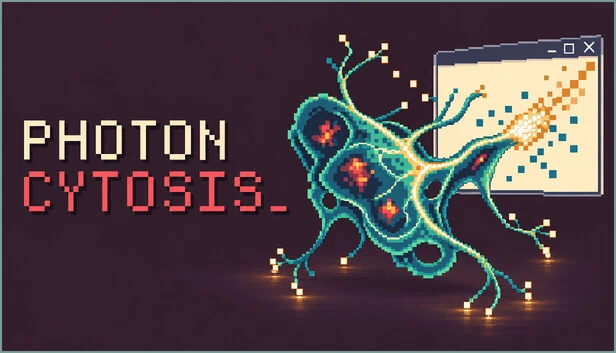
Begin with a single cell and watch a living experiment grow across your screen. Photoncytosis runs alongside your everyday work: its organisms search for light, store energy, develop specialized cells, and respond to the desktop around them. Let them live on their own, then step in when you want to guide the experiment.
Light keeps it alive. Color shapes its biology.
Bright screen pixels charge cell batteries. Every cell has its own reserve, and energy gradually flows through the connections between cells. Those reserves help the creature survive time away from a good light source.
The colors it absorbs influence how it develops. Red supports activity and movement, green supports biomass and growth, and blue supports perception. White light provides a balanced mixture. Changing the environment changes the conditions your organism must adapt to.
Look closer
Open the microscope to see the creature's cells, flexible membrane, and living connections. Select individual cells to inspect their role, charge, age, and color compounds. Pan the view and follow a body that stretches, moves, reproduces, and changes over time.
Guide its evolution
Earn experience as the organism grows and survives, then choose timed research in its mutation tree. Feeders, sensors, and motors handle harvesting, perception, and movement. Further adaptations can produce battery, collector, repair, and muscle cells with distinct roles in the body.
Drag a creature toward useful light or confine it to an application window. Bodies can split into independent fragments, each keeping its own energy reserves. Compatible creatures can regroup and join into one organism again.
Share the desktop with other life
Other organisms can share the same light sources, creating competition for the space around you. Attack and defense cells, infection, retreat, and recovery give encounters consequences for the colony's survival.
Check in when you want
Leave Photoncytosis running while you do other things. When you return, the "Since you last checked" report summarizes cell births and losses, new specializations, completed research, cures, and reclaimed cells from the running session. Tutorials and a cell guide help you understand what you are seeing.
Photoncytosis uses mouse and keyboard on the Windows desktop. Photo Mode lets you capture screenshots and recordings of the organism and microscope. Save your experiment and continue it when you next launch the game.








评论